Make a restaurant menu QR code by linking to a public menu page that guests can open on their phones. Put the code on a plain panel, print the same address underneath, and let guests know they can ask for a paper menu. Test the finished card at the table before printing a batch.
1. Choose a menu link you can keep
Use the customer-facing menu URL. Open it in a private browser window, without signing in, and check that guests can read the dishes and prices on a phone. A static QR code stores the address you give it. You can update the menu behind that address without changing the printed card. If you change the address, keep the old link working with a redirect or replace the card.
In desktop Chrome you can generate a code from the menu page. Open the three-dot menu, choose Cast, save, and share, then Create QR code and Download. There are other generators too. Check the actual address encoded in the export before placing it on the card. Chrome’s QR code instructions
2. Give the code its own clear space
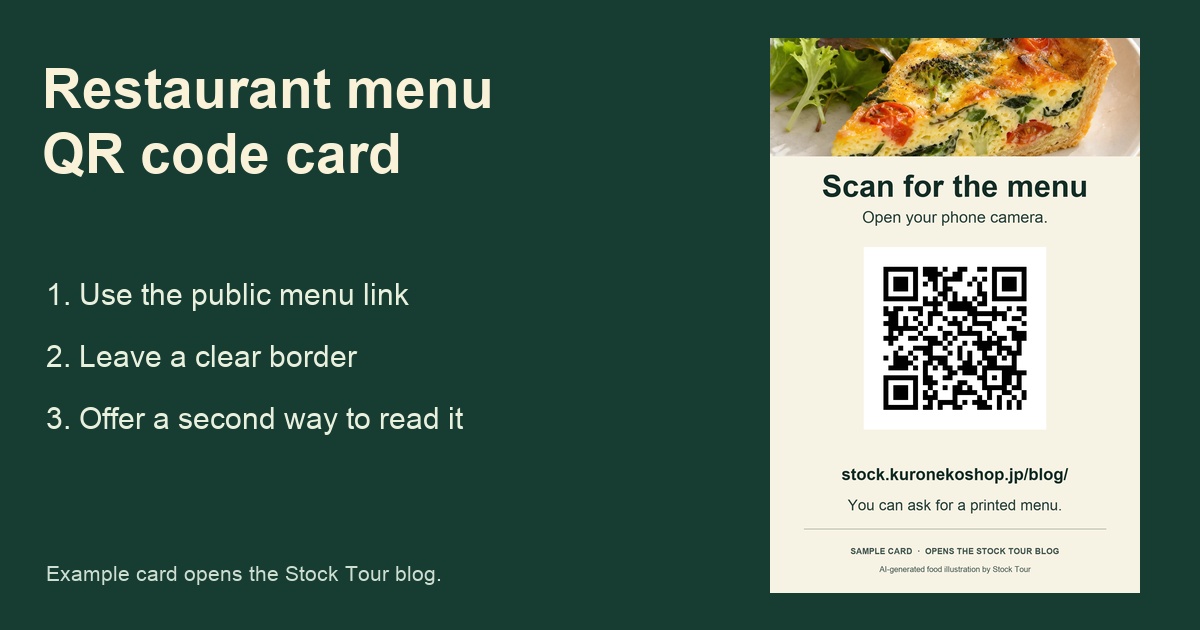
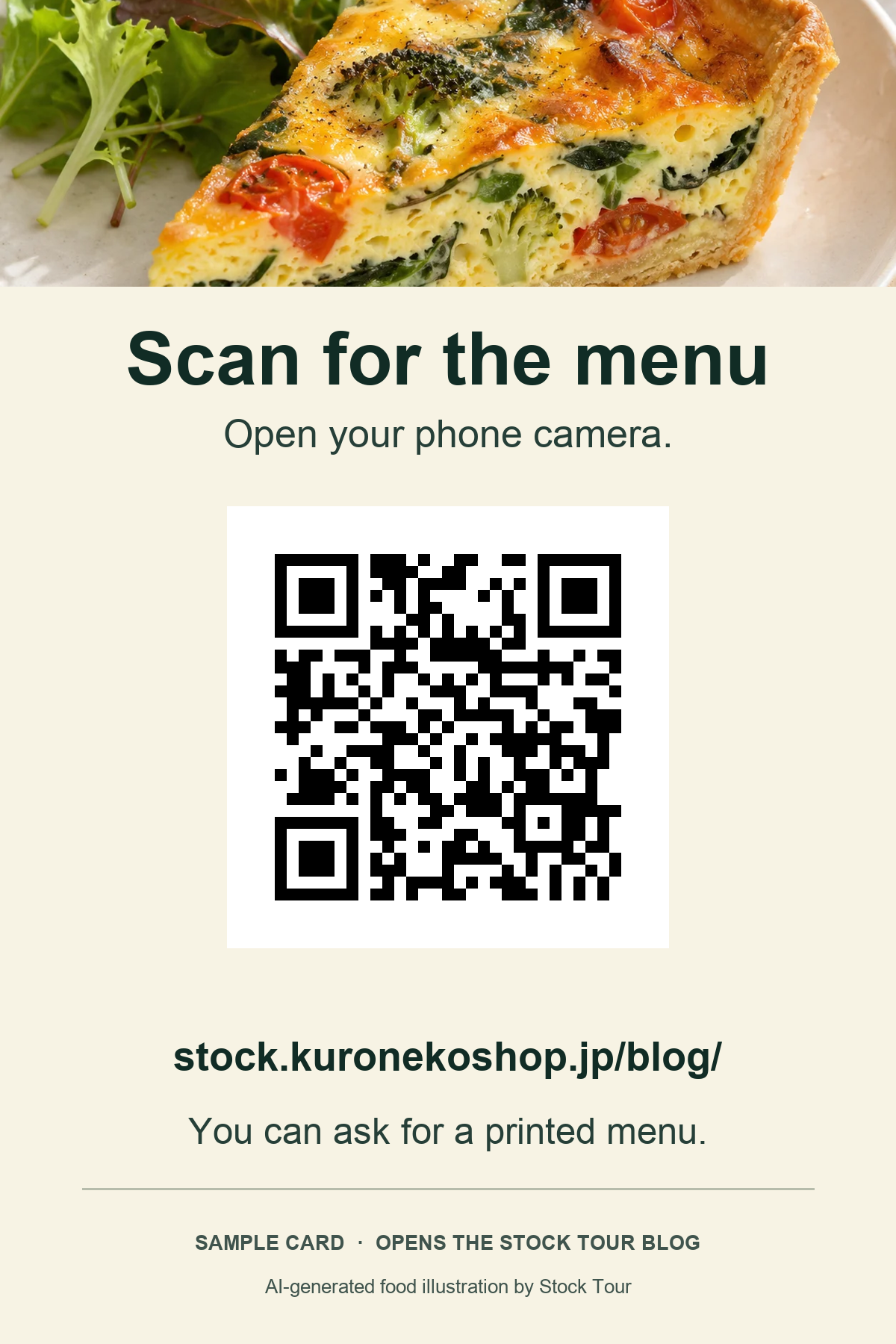
Set dark squares on a light background. Leave an unprinted border at least four modules wide on every side. A module is one of the little squares that make up the pattern. Place food images, logos and captions outside that border. The sample keeps the photo in a separate strip above the code. DENSO WAVE’s guide to the quiet zone
3. Add a typed address and test one proof
Start with “Scan for the menu.” Print a short, readable URL below the code so a guest can type it. If you offer a paper menu, add “Ask us for a printed menu.” For your own card, replace the sample address and regenerate the square from that same URL.
We decoded the digital sample at its full size and at 400 px wide. Both returned the blog address printed on the card. The source artwork is 1200 × 1800 px, which corresponds to 4 × 6 inches at 300 pixels per inch. Check the size and scaling in your print dialog, then print one proof and scan it from a normal seated distance in the venue’s lighting. Also type the backup address and check it opens the same page.
If you still need to prepare the page guests will see, start with a restaurant menu layout that stacks on phones.