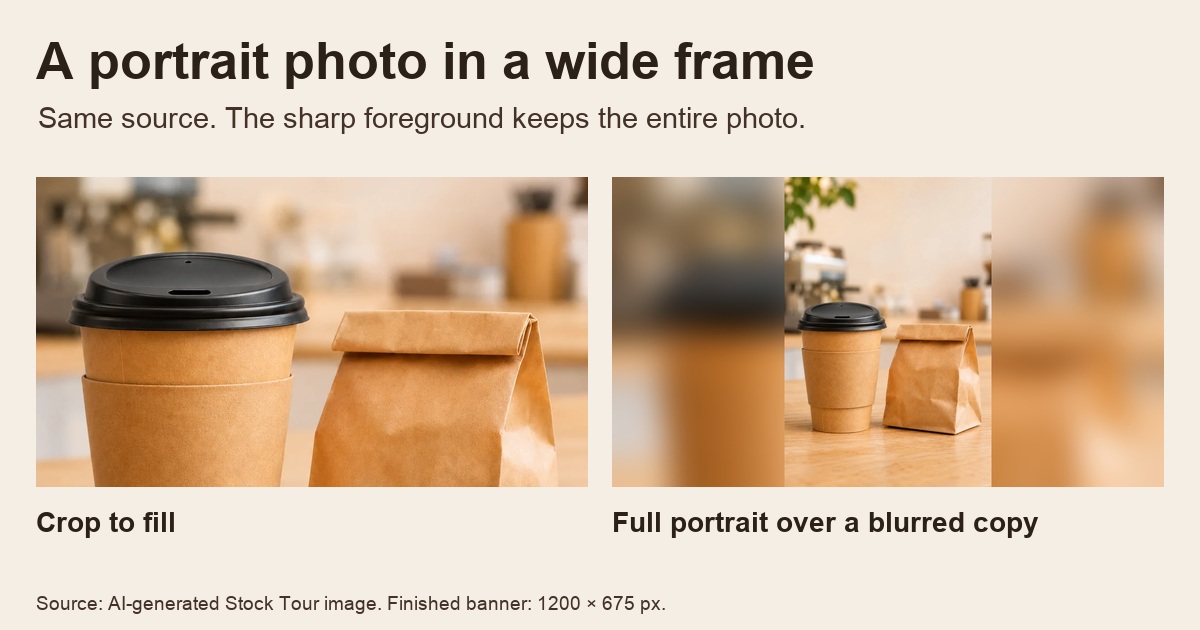
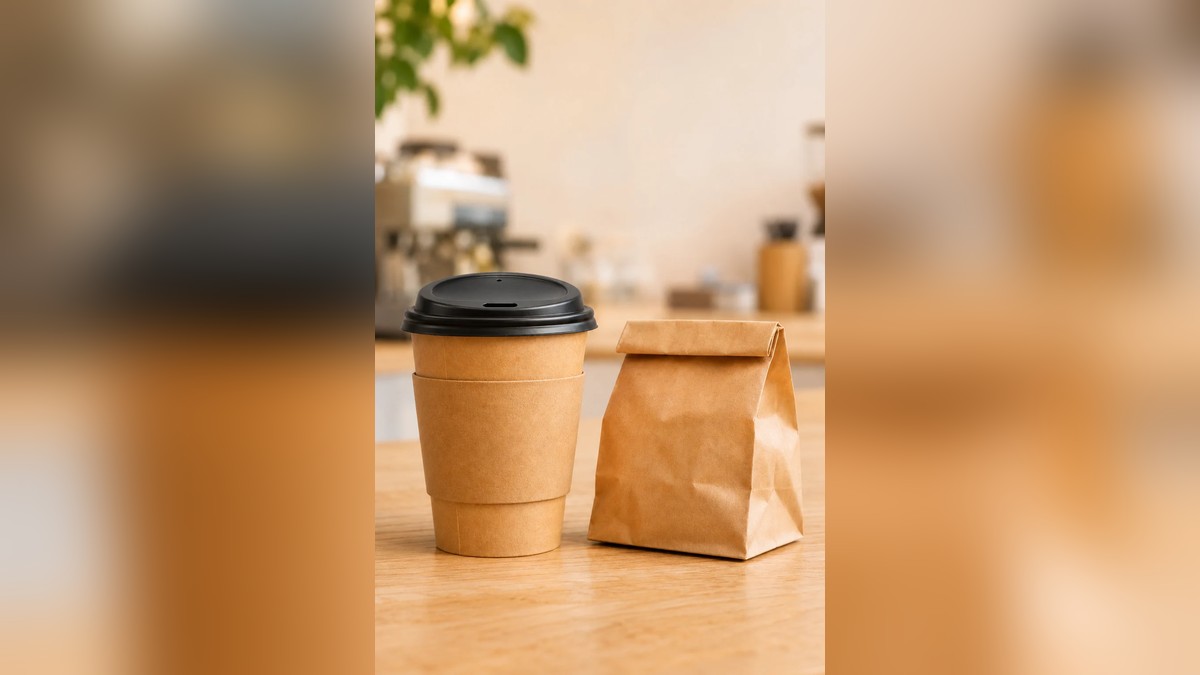
To turn a portrait food photo into a landscape JPEG without cutting off the subject, fit the whole photo into the new frame and fill the sides with a blurred copy. In this Pillow example, a 1024 × 1536 portrait becomes a 1200 × 675 banner. The cup, bakery bag and tabletop stay visible in the sharp center.
Choose a crop or a full portrait
A center crop gives the subject more space in a wide frame. In our comparison it cut off the bottom of the coffee cup and bag. At the original width, the crop would use only 576 of the portrait’s 1536 rows. If the full plate, label or serving arrangement matters, retain the portrait and fill the remaining space around it.
The finished version below retains a 450 × 675 sharp image and adds 375 pixels of background on each side. The soft sides are made from the same image. Use a plain color if the repeated shapes are distracting or you need room for text.
Create the landscape JPEG in Pillow
Install Pillow with python -m pip install Pillow. Save the sample WebP as portrait.webp next to your script. If you use a different file, update the input path.
from PIL import Image, ImageFilter, ImageOps

SIZE = (1200, 675)
RESAMPLE = Image.Resampling.LANCZOS

with Image.open("portrait.webp") as source:
    photo = ImageOps.exif_transpose(source).convert("RGB")

foreground = ImageOps.contain(photo, SIZE, RESAMPLE)
background = ImageOps.fit(photo, SIZE, RESAMPLE)
background = background.filter(ImageFilter.GaussianBlur(32))

left = (SIZE[0] - foreground.width) // 2
top = (SIZE[1] - foreground.height) // 2
background.paste(foreground, (left, top))
background.save("landscape.jpg", quality=90, optimize=True)
ImageOps.contain fits the sharp foreground inside the new dimensions and preserves the entire frame. ImageOps.fit fills the background canvas with a cropped copy. The script blurs that copy before pasting the foreground, so the blur never touches the sharp image. This example uses an opaque source. If yours has transparency, composite it over your intended background before saving a JPEG. Pillow’s sizing methods · Pillow’s Gaussian blur reference
Check the saved result
Open landscape.jpg and check that it is 1200 × 675 pixels. Compare the top and bottom of the sharp center with the portrait so you can spot any clipping. In this test, the center pixels matched the resized foreground before JPEG compression. If you want a different output ratio, change SIZE, then preview at the width where the banner will appear.
If the sharp subject looks too small on phones, consider serving a separate mobile crop on your site.