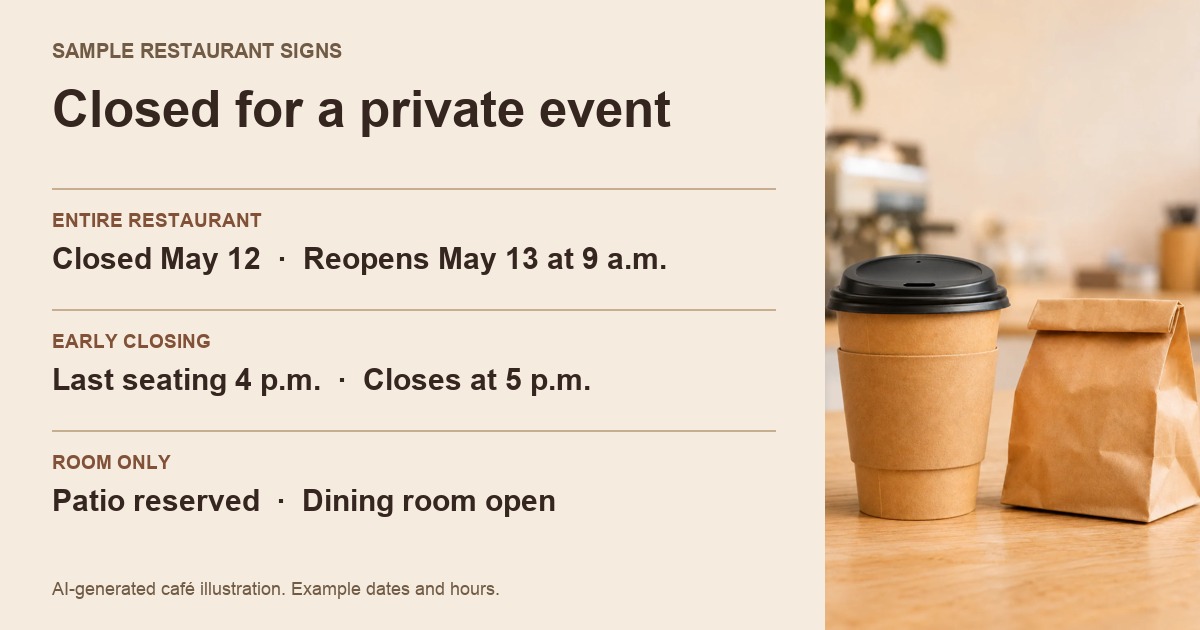
Put the date and the service affected on the first two lines of your sign. Say whether the whole restaurant is closed, the doors close early, or one room is reserved. Then tell guests when they can visit or which area is open.
When the whole restaurant is closed
Use this version if guests cannot dine in, pick up an order, or stop for a drink that day. Give a date and time for the next public service.
Closed for a private event
We’re closed to the public on May 12.
We’ll reopen on May 13 at 9 a.m.
Use the date even on a door sign. Someone may see a photo of the sign after the event. If the reopening time is still undecided, leave it out and direct guests to the page where you will post it.
When you’re closing early for a private event
Distinguish the last time a guest can be seated from the time the restaurant closes. If the kitchen stops taking orders sooner, add that time as a separate line.
Closing early on May 12
Last seating at 4 p.m. We close at 5 p.m. for a private event.
We’ll reopen on May 13 at 9 a.m.
If a guest may arrive at 4:30 p.m. expecting a table, the last seating time is the detail that helps them decide. Real venues use both times in the same notice, as in this early-closing notice from Lovin’ Cup.
When only one room is reserved
Start with the name of the area affected. Put the public option on the next line so guests can tell they are still welcome.
Patio reserved May 12, 5–9 p.m.
Our patio is booked for a private event.
The dining room is open as usual. Please use the main entrance.
If takeaway is available while dine-in service is paused, say so directly and name the pickup entrance. The Oriole example identifies the area affected by a private event. Use only the entrance and service details your team can honor.
Put the same hours on the door and online
Use the same date, seating cutoff, and reopening time in the sign, booking page, and social caption. The dates above are examples. Before printing, view the sign at the distance where a guest will read it. If you use a background like the AI-generated café illustration in the sample sign, keep the notice on a plain panel and check contrast where the letters sit.