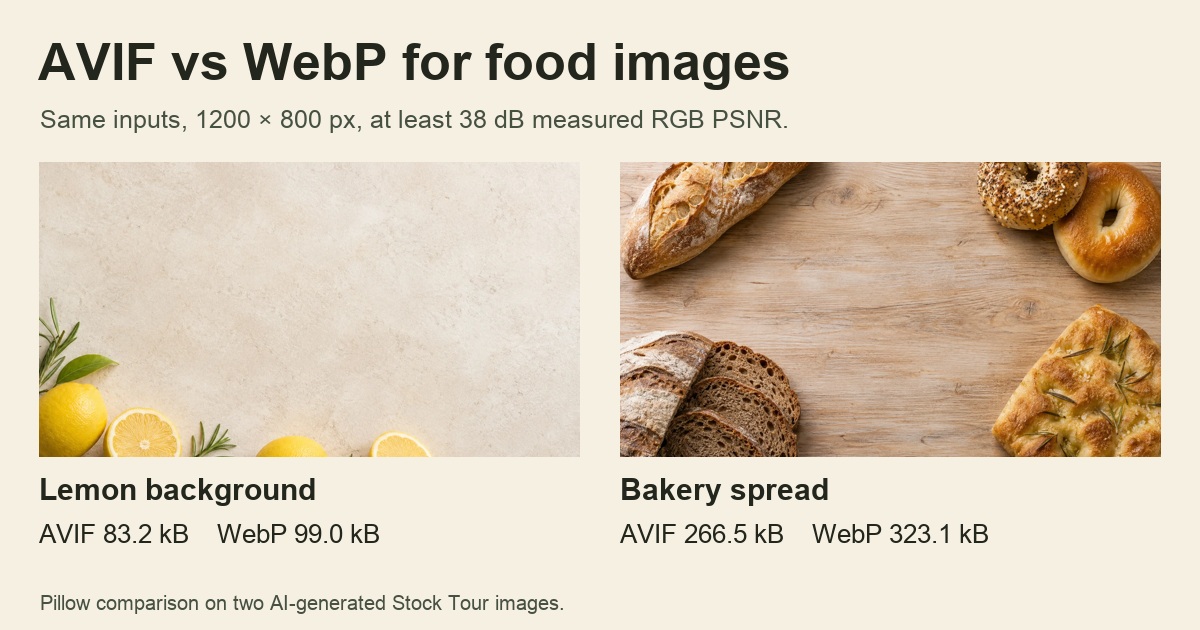
Try AVIF when your site can serve it and you need to shrink a large food image. Keep WebP when your publishing workflow already handles it well or the file is small enough. In our two-image test at 1200 × 800, the selected AVIF files were 16.0% and 17.5% smaller than the selected WebP files at a shared minimum pixel-similarity score.
File sizes for a lemon background and a bread flat lay
- Lemon and Rosemary Food Background: AVIF 83.2 kB (quality 65, 38.09 dB); WebP 99.0 kB (quality 85, 38.68 dB).
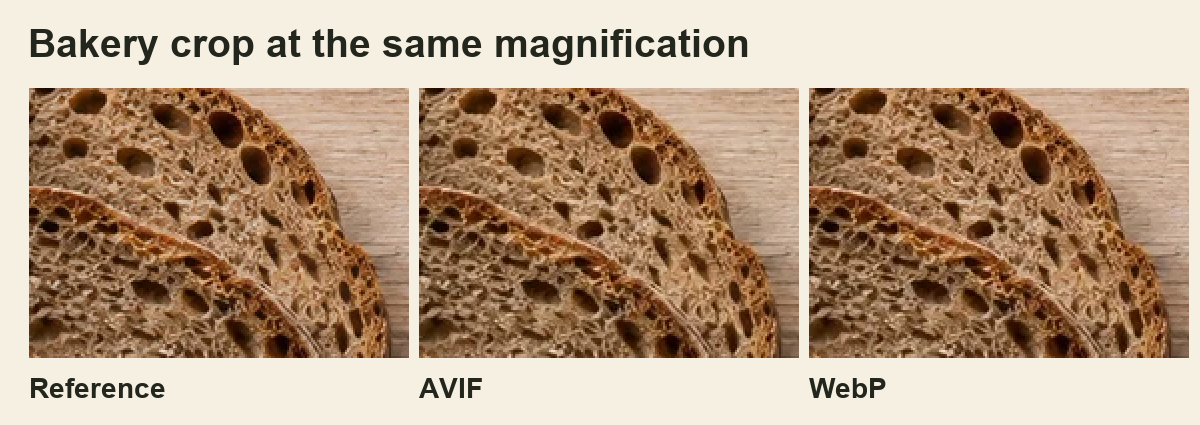
- Artisan Bread Flat Lay with Copy Space: AVIF 266.5 kB (quality 80, 38.04 dB); WebP 323.1 kB (quality 90, 38.92 dB).
For each AI-generated Stock Tour image, we decoded the same downloaded WebP and resized it once to 1200 × 800 in RGB. The resized image was the reference for both encoders. Pillow 12.3.0 tested quality settings 40 to 95 in steps of 5. We selected the smallest file from each format that reached 38 dB RGB PSNR. AVIF used 4:2:0 subsampling and speed 7. WebP used method 6. Sizes are in decimal kilobytes. Pillow’s encoder settings
PSNR measures pixel differences from the reference. A higher score means less measured error. It does not tell you whether the color of a lemon or the texture of bread still looks right. Both WebP exports scored higher in this test, so the figures show a shared minimum, not identical quality. Quality numbers from two different encoders do not mean the same thing.
Choose the export your site can actually serve
- Begin with your highest-quality source. Resize once to the dimensions the page needs, then encode both copies from that same reference.
- Compare bytes and look at the images at their actual display size. Zoom in on a pale gradient, a dark crust, or another area where compression would be visible.
- Upload the better candidate and check the public page. If your platform can serve AVIF with a fallback, use a
pictureelement with AVIF first and the WebP onimg. Verify which file your browser requests. MDN’s image format guide
The two examples are opaque and cover file size and decoded appearance. They do not measure encoding speed, page-load time or alpha quality. If you are working with a transparent cutout or a print export, start with the image format guide for those different needs.