Use a whole red chili image to draw attention to a spicy menu item, a group of peppers for a sauce banner, and sliced rings to illustrate a recipe step. The three free WebP images below all come in the same 1536 × 1024 size.
Mark a dish with a whole pepper
Keep the stem and tip in view for a small icon. Pair it with a word that your kitchen actually uses, such as Mild, Medium, or Hot. An image can help readers scan the menu, but the written label tells them what to expect.
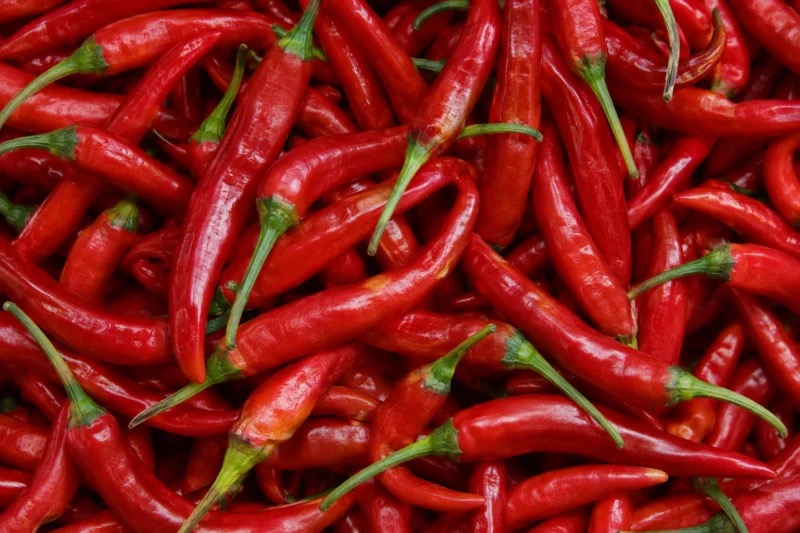
Give a sauce banner a clear headline
Use the image as the banner’s main visual. The red skins have bright highlights, and stems break up the color. Place the sauce name and any heat label in a solid strip beneath the photo. See how to place text on food images if the headline needs to sit over the photo.
Show the cut in a recipe step
Put the rings beside an instruction such as “Slice the red chili into thin rings.” Keep several complete rings in frame. If the recipe specifies a particular pepper variety or cut size, photograph those details or give them in the written instructions.
Show the heat level in words
Chili Noodles
Heat level: Hot
Use words wherever a color or pepper icon carries meaning. The W3C guidance on use of color explains why a visual color cue also needs a second way to convey the information.
Download the original WebP files
Follow the image link to the individual detail and choose Download WebP. These illustrations were generated with AI. Check the Stock Tour Asset License for personal and commercial use. If you need a finished dish for the top of a menu, browse the plated dinner images.