Choose a bakery image by the space you need for text and the shape of the finished design. Use a wide bread background for a banner, a square loaf detail for a menu, or a tall bagel image for a vertical post. The four Stock Tour images below are AI-generated illustrations, available as free WebP downloads under the Stock Tour License.
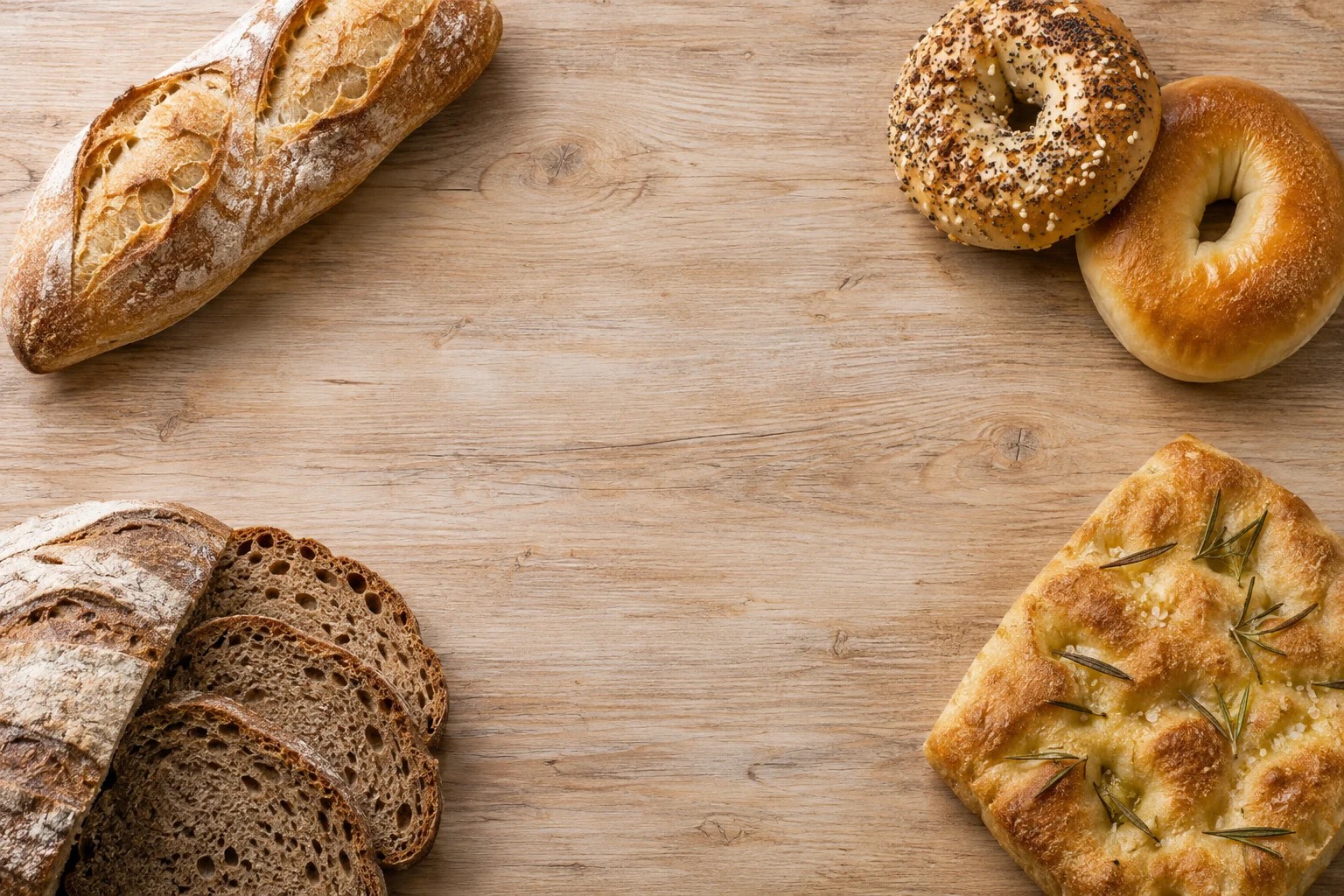
Artisan bread flat lay for a banner or newsletter
Choose this spread for a message about the bakery as a whole. The bread frames the table, leaving the center available for a short headline like “Weekend Bread Menu.” Keep the words inside the open area and check the narrowest crop your site or email template uses. If the crop takes away a loaf at the edge, the central headline should still make sense.
Golden baguettes for a bread article or email feature
Use this horizontal image when the story is about a type of bread, such as a guide to serving baguettes at home. The whole loaves establish the shape, and the slices give readers a closer look at the crumb. If you put a headline on top, keep it away from the slices. Put a price or order button in the surrounding email layout, where it has room to breathe.
Rustic sourdough for a square menu tile
Use the square composition as a supporting image on a bread guide or an editorial menu. The dark table makes the cut loaf stand out at smaller sizes. Set the item name and description below the image to keep the cut face visible. For a listing where people are ordering a specific loaf, use your own product photo so the crust, shape, and size match what they will receive.
Plain bagels for a vertical social post
Choose the tall image when you want room above the bagels for a few words. For a portrait crop, keep the headline near the open linen and leave breathing room at the top and bottom, where app controls can cover the artwork. Put any pickup time, address, or offer details in the caption as readable text.
Try this banner layout
Start with the headline in the center of the flat lay, and place your menu link as a button or text link below it. The example uses a light panel so the words remain readable over the wood. For more ways to make lettering legible, see how to add readable text to food images.
Download the bakery images
Select one of the images to open its detail page, choose Continue to Free Download, review the terms, and save the WebP. You can use these illustrations in finished personal or commercial projects under the Stock Tour Asset License. Keep the AI-generated images for illustrative uses. For a drink board to go with your bread feature, try these winter café menu ideas.